If you’re looking to convert an HTML file into a PDF, you’ve probably asked yourself: Is there a free tool that can do this without sacrificing quality or features? The short answer is yes. In fact, several reliable, high-quality free HTML to PDF converters are available online—and one of the most user-friendly options is HTML To PDF Converter by htmltopdf.live.
Whether you’re a student submitting an assignment, a developer documenting code, or a professional preparing a report, converting HTML to PDF is a common need. The challenge isn’t finding a converter—it’s finding one that’s truly free, easy to use, and capable of producing professional results.
Let’s explore what makes a good HTML to PDF converter, why free options are not only available but often just as powerful as paid ones, and how you can start converting your files today at no cost.
What to Look for in a Free HTML to PDF Converter
Not all free converters are created equal. Some may have hidden limitations, poor output quality, or intrusive ads. A trustworthy free tool should offer:
- No Hidden Costs: Truly free, with no mandatory sign-ups, trials, or watermarks on your PDFs.
- Quality Output: Preserves your HTML layout, fonts, images, and styling accurately.
- Ease of Use: A clean, intuitive interface that doesn’t require technical expertise.
- Key Features: Basic customization like page size (A4, Letter), orientation (Portrait/Landscape), and margin control.
- Privacy & Security: A clear policy that your files are processed securely and not stored or misused.
- Flexible Input: The ability to upload
.htmlfiles and paste raw HTML code.
Why Choose a Free Online Converter?
You might wonder if free tools are worth it compared to premium software or built-in browser “Print to PDF” functions. Here’s why a dedicated free online converter like htmltopdf.live often comes out on top:
- Superior to Browser Printing: While “Print to PDF” is free, it offers minimal control. Dedicated converters handle complex HTML/CSS layouts better, support custom page settings, and avoid common browser printing glitches like cut-off content or broken pagination.
- More Accessible than Software: Downloading and installing software like Adobe Acrobat or specialized PDF suites can be expensive and cumbersome. An online tool works instantly in your browser, on any device.
- Feature-Rich Without the Price Tag: Many free online converters now offer features that were once premium-only, such as live previews and batch processing capabilities.
Yes, There Is a Free HTML to PDF Converter: Meet htmltopdf.live
HTML To PDF Converter is a perfect example of a powerful, completely free tool that meets all the criteria for a reliable converter. It’s built to make the conversion process straightforward and professional for everyone.
Key Free Features of htmltopdf.live:
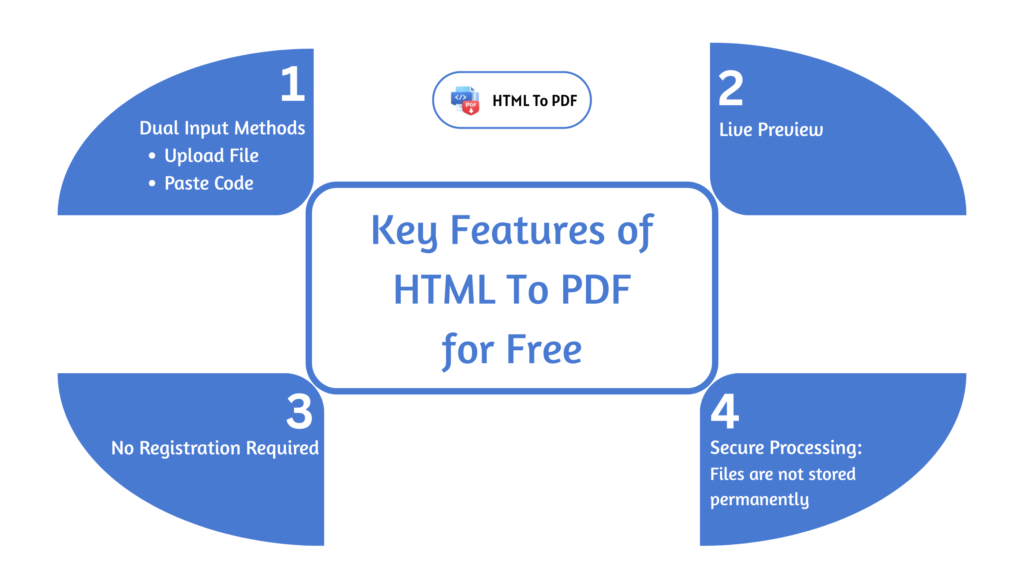
- Dual Input Methods: Upload your
.htmlor.htmfile directly, or simply paste your HTML code into the provided editor. - Full PDF Customization: Adjust Page Size (A4, Letter, Legal, etc.), Orientation, and Margins before converting.
- Live Preview: See exactly how your PDF will look in real-time as you edit your code or adjust settings—no surprises.
- High-Fidelity Conversion: Accurately converts complex layouts, styles, and images embedded in your HTML.
- No Registration Required: Start converting immediately without creating an account.
- Secure Processing: Your data is processed securely, and files are not stored permanently on the server.
How to Use It for Free (Step-by-Step):
Using this free converter takes less than a minute:
How to Convert an HTML File to a PDF File?
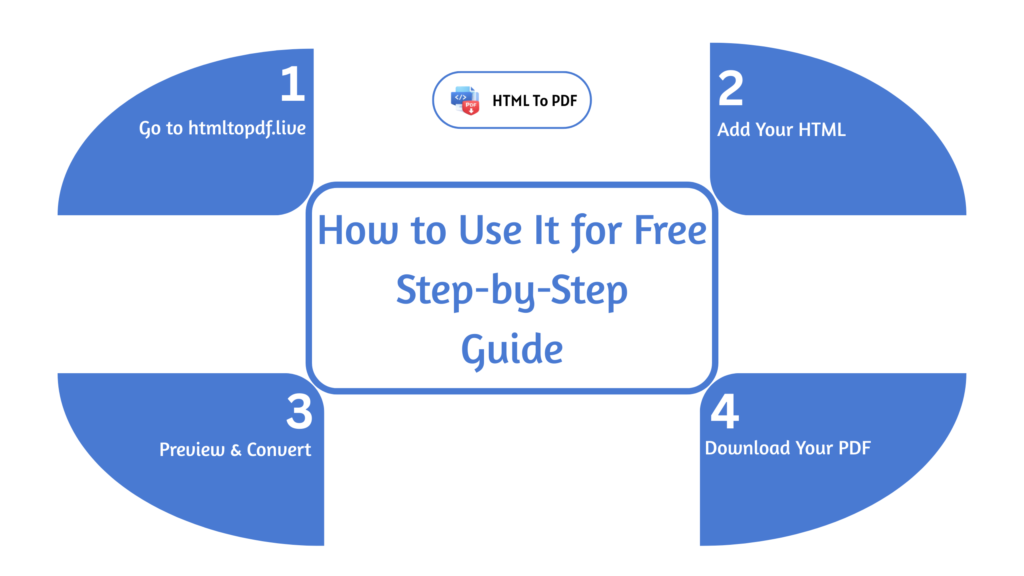
- Visit the Website: Go to htmltopdf.live.
- Add Your HTML: Either drag-and-drop your HTML file or click “Browse” to upload it. Alternatively, paste your raw HTML code into the code box.
- Configure (Optional): Use the settings panel to choose your preferred page size, orientation, and margins.
- Preview & Convert: Check the live preview pane on the right. When satisfied, click the “Convert to PDF” button.
- Download Your PDF: Your converted file will be ready in seconds. Click “Download” to save it to your device.
That’s the entire process—completely free, with no strings attached.
Frequently Asked Questions About Free HTML to PDF Converters
Are free converters really free forever?
Reputable tools like htmltopdf. live are built to remain free for core conversion needs. They may offer premium tiers for advanced enterprise features (like API access or bulk conversions), but the standard file conversion will stay free for individual users.
Do free tools limit the number of conversions?
Some free platforms impose daily or monthly limits. It’s important to check the tool’s policy. htmltopdf.live is designed for unlimited personal use, making it ideal for students, freelancers, and professionals who need regular conversions.
Is the output quality of free converters good enough for professional use?
Absolutely. Modern free converters use robust rendering engines that produce high-quality, print-ready PDFs. The key is choosing a tool with a live preview, so you can verify the output before finalizing.
What about privacy? Are my HTML files safe?
Trustworthy converters process files in a secure, temporary environment and automatically delete them after conversion. For extra caution with sensitive data, use the “Paste HTML Code” option instead of file upload, as it minimizes data footprint.
Can I convert HTML with CSS and JavaScript for free?
Yes. Most competent free converters, including htmltopdf.live, support inline and linked CSS to maintain styling. JavaScript execution may be limited (as PDFs are static documents), but the visual rendering based on the initial HTML/CSS state is fully supported.
Final Verdict
So, is there a free HTML to PDF converter? Yes- and a very good one. Instead of dealing with clunky software or unreliable browser printing, you can use a dedicated online tool like HTML To PDF Converter at htmltopdf.live. It offers a perfect balance of power, ease of use, and cost (free) for the vast majority of users.
Whether you need to convert a single file or several documents, this tool provides a professional, hassle-free solution without asking for your credit card details. Give it a try for your next project and experience how simple and effective free conversion can be.
Ready to convert? Visit htmltopdf.live and turn your HTML into polished PDFs in seconds—completely free.